How to Create the Perfect Product Shot: The Complete Guide
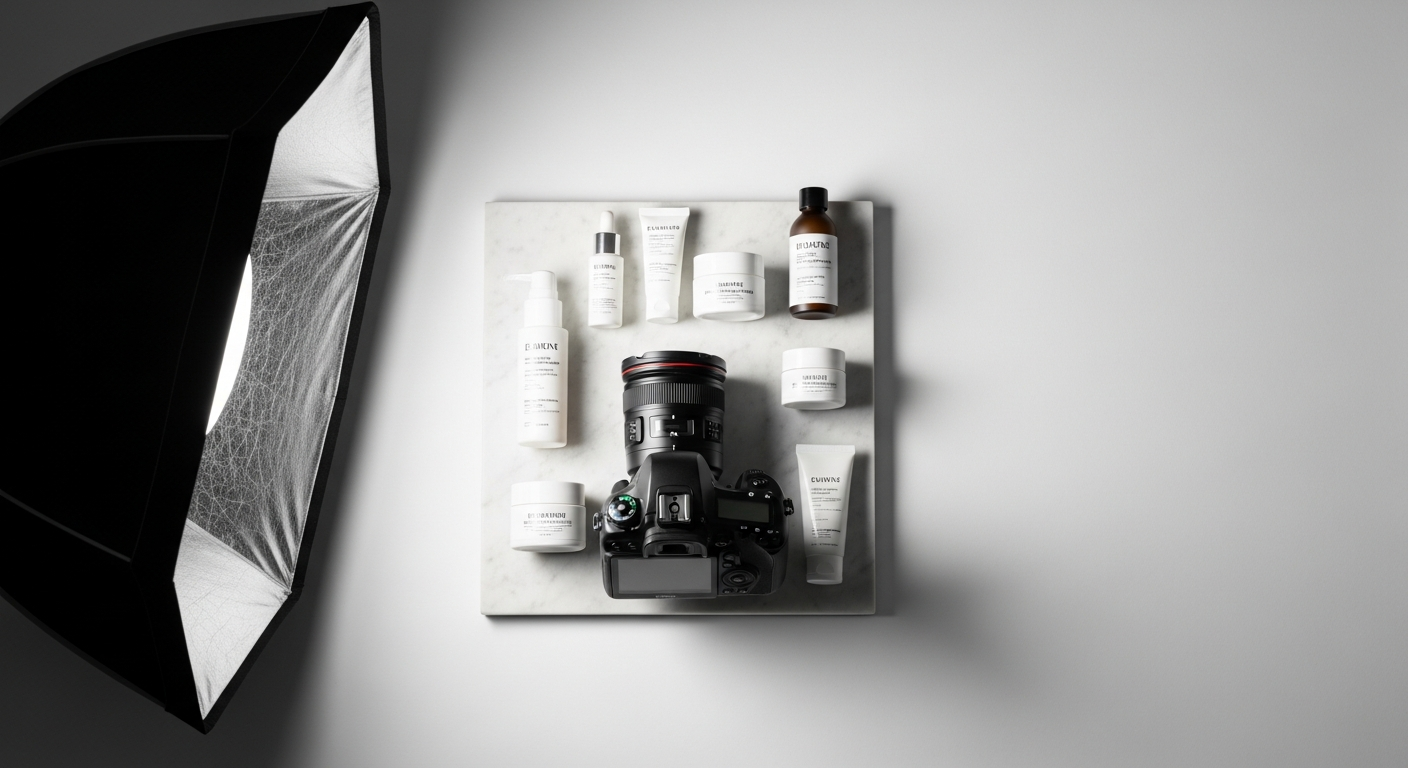
Shoppers cannot touch your product before they buy it. They cannot pick it up, smell it, or feel the weight of it in their hands. All they have is the image. That is a lot of pressure for a single photograph, and it is why product photography done well is one of the highest-return investments a brand can make.
This guide covers every element that separates a forgettable product image from one that stops the scroll and converts. Lighting, backgrounds, composition, styling, common mistakes, and the AI approach that is changing how brands create product content.
Why Product Photography Matters More Than You Think
Studies consistently show that product image quality is the number one factor in online purchase decisions, outranking price, reviews, and even brand recognition for first-time buyers. Sixty-seven percent of consumers say image quality is very important when making a purchase online. On platforms like Instagram and Pinterest, that number climbs higher still.
A great product shot does three things at once: it shows the product accurately, it communicates the brand's quality and personality, and it makes the viewer want to own what they are looking at. That is a lot to ask of one image, which is why getting the fundamentals right matters so much.
Lighting: The Foundation of Every Great Product Shot
If you only improve one thing about your product photography, make it the lighting. Bad lighting creates flat, lifeless images with unflattering shadows. Good lighting reveals shape, texture, and material quality in a way that no amount of editing can compensate for afterward.
Natural light is the most accessible starting point. Shoot near a large window, ideally on a bright overcast day. Direct sunlight creates harsh shadows; cloud cover diffuses the light and wraps it around the product beautifully. Position the product so the window is to one side rather than directly behind you, which creates more depth.
Softboxes and studio lights give you control over direction, intensity, and colour temperature regardless of time of day or weather. A single softbox positioned at roughly 45 degrees to the product, with a white reflector or foam board on the opposite side to bounce light back into the shadows, produces a classic commercial result that works for almost any product type.
The key light and fill light principle: your main light source creates the highlights and defines the shape of the product. A secondary fill light or reflector softens the shadows on the opposite side. The ratio between them determines how dramatic or clean the image feels. For lifestyle and luxury products, a higher contrast ratio reads as premium. For skincare and beauty, a softer, more even ratio reads as clean and clinical.
Backlighting is a technique worth experimenting with for glass, liquid, and translucent packaging. Positioning a light behind and slightly below a glass bottle makes it glow from within, revealing the colour of the liquid and giving the packaging a jewel-like quality that front lighting alone cannot achieve.
Backgrounds and Surfaces
The background either supports the product or competes with it. In most cases, support wins.
White and near-white backgrounds are the industry standard for e-commerce for a reason. They are clean, they make colour-matching easy for buyers, and they work well for marketplace listings where background consistency is often required. Use a pure white sweep of paper or a white seamless backdrop.
Textured surfaces add warmth and context. Marble, raw wood, linen fabric, slate, aged concrete, brushed metal: each surface communicates something different about the product it sits on. Marble reads as luxury. Wood reads as natural and artisan. Concrete reads as urban and modern. Choose a surface whose character aligns with your brand's.
Colour backgrounds can be powerful for social media and campaign imagery where stopping the scroll is the goal. A deep teal, a warm terracotta, or a dusty sage can make a product image feel curated and intentional. The rule is that the background should complement the product's colour, not compete with it. A deep blue background under a navy product disappears. The same background under a warm cream product makes it pop.
Props and environmental context are used to add lifestyle storytelling to product images. A skincare serum photographed next to a jade roller and some dried botanicals says something about the customer who uses it. A coffee blend photographed with a worn paperback and a ceramic cup tells a whole Saturday morning story. Props should always support the product as the hero. If the eye is drawn to the prop before the product, you have too much.
Composition: Directing the Eye
Composition is how you control where the viewer looks and in what order. For product photography, the product should always be the first place the eye lands.
The rule of thirds divides the frame into nine equal sections. Placing the product at one of the four intersection points rather than dead centre creates a more dynamic and visually engaging image. Dead-centre compositions can work for symmetrical products like bottles and jars, but off-centre placements feel more editorial.
Camera angle changes everything about how a product reads. Straight-on shots at eye level work well for clothing, bags, and products where the front face is most important. Low angles looking slightly up give a product scale and presence, which works well for beverages and bold packaging. High-angle overhead shots work beautifully for flatlays, food, and smaller products where layout and arrangement are part of the story.
Negative space is the area around the product that contains nothing. Used intentionally, negative space makes the product feel confident and premium. It also gives room for text overlays in social media and advertising without competing with the imagery.
Leading lines are elements in the image that direct the eye toward the product: the edge of a surface, a piece of ribbon, the angle of a prop. Used well, they pull attention naturally toward the hero without the viewer realising they are being guided.
Camera and Technical Settings
You do not need the most expensive camera to create professional product images, but understanding a few settings makes a significant difference.
Aperture controls depth of field. A wide aperture (low f-number like f/1.8 or f/2.8) creates beautiful background blur that separates the product from its surroundings and gives images a premium feel. A narrow aperture (high f-number like f/11 or f/16) keeps everything in sharp focus, which works better for flatlays and shots where background detail matters.
ISO should be kept as low as possible, typically ISO 100 to 400 in good lighting, to avoid grain and preserve detail. Higher ISOs introduce noise, which is particularly damaging in areas of flat colour like packaging and backgrounds.
Shutter speed should be fast enough to avoid camera shake, especially in lower light. Using a tripod removes this variable entirely and has the added benefit of allowing you to take multiple frames of the exact same composition, which makes editing and comparison much easier.
White balance should be set to match your light source. Daylight, cloudy, and tungsten are the main presets. Getting this right in camera saves significant time in post-processing and ensures your product colours are accurate.
The Most Common Product Photography Mistakes
Inconsistent lighting across a product range. If your hero images use different lighting setups, different shadows, and different colour temperatures, they look chaotic when viewed together in a shop or gallery. Consistency builds brand trust.
Too many props. Props should whisper, not shout. If removing a prop would not change the story the image tells, remove it.
Shooting in JPEG instead of RAW. RAW files contain far more image data, giving you much greater flexibility in editing without quality loss. Always shoot RAW if your camera supports it.
Ignoring the label and packaging detail. If your product has a label, the label needs to face the camera and be in sharp focus. A beautiful shot of a crooked or blurred label is a wasted shot. Always check label alignment before pressing the shutter.
Skipping the tripod. Hand-held shooting introduces micro-movement that reduces sharpness, especially at the telephoto end or in lower light. A tripod is one of the highest-return pieces of equipment in a product photography kit.
The AI Shortcut That Changes Everything
Traditional product photography requires a setup, proper equipment, time, post-processing, and often a retoucher. For brands launching new products or creating content at scale, the cycle is slow and expensive.
Twiss changes the model entirely. Upload your product image, and Twiss generates photorealistic campaign images around it: studio hero shots with dramatic lighting, lifestyle images with a model holding the product, atmospheric shots with ice, steam, botanicals, or splash effects, all at the resolution and quality of a professional shoot.
The product is reproduced with accuracy: label text, colour, shape, packaging detail. Nothing is hallucinated or simplified. The result looks like it was shot on set, because Twiss builds the scene around the product rather than trying to replace it.
For brands who want the professional result without the professional production cost, it is a genuine breakthrough. And for brands who do shoot traditionally, Twiss creates additional content variations, lifestyle options, and social formats from those same hero shots, at a fraction of the time.
Great product photography starts with understanding the fundamentals. Light, background, composition, and detail. Once you have those, whether you capture them on set or generate them with AI, the result is the same: images that make people want to own what they are looking at.