That Photo in Your Camera Drafts? Twiss Can Fix It
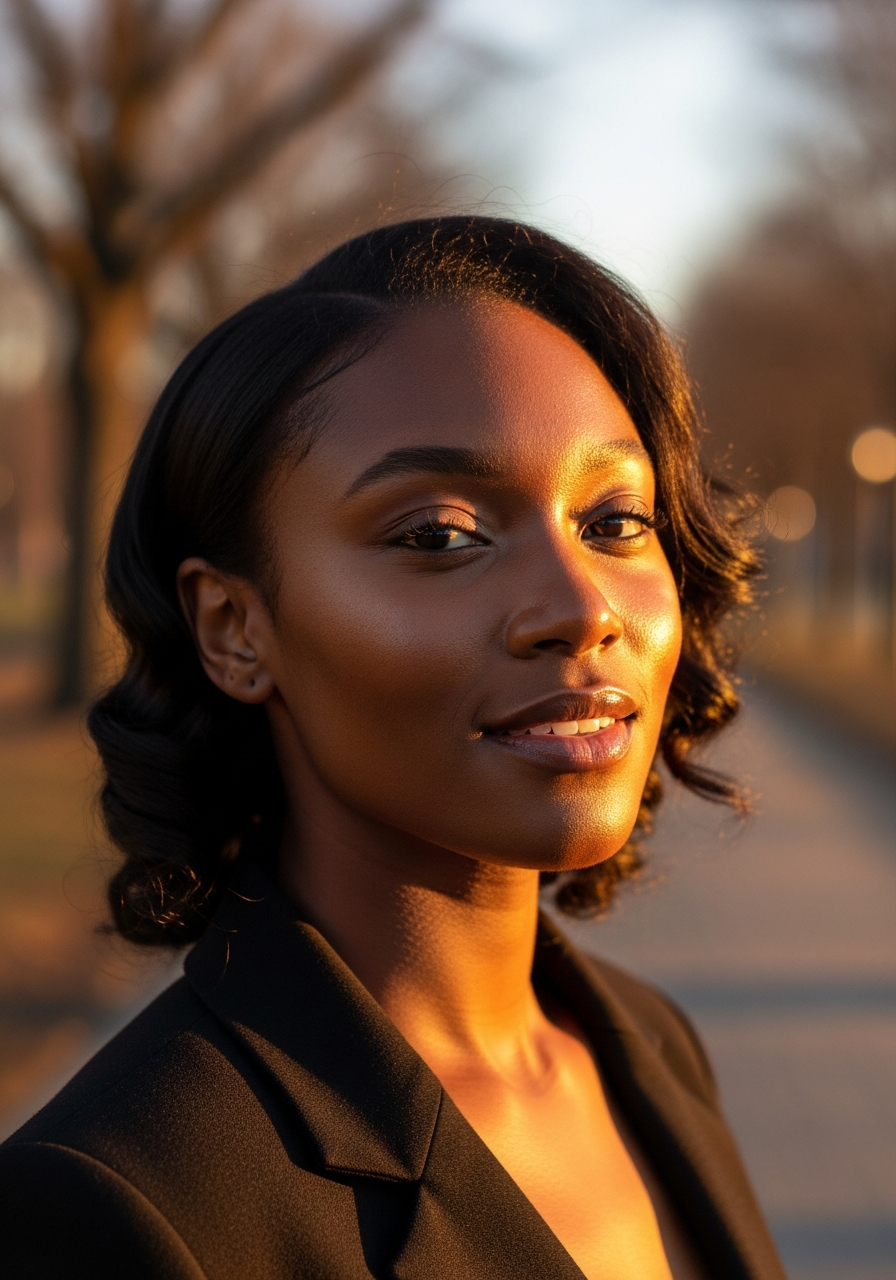
You took a photo. The moment was good. The lighting was not. Your skin was doing something interesting. The background was your kitchen counter at its worst. So the photo went into drafts, where it has lived quietly ever since.
This is one of the most common things that happens to photos. Not because they are bad photos. Because one element let the whole thing down.

What Is Photo Refinement?
Photo Refinement is a feature inside Twiss that takes your existing photo and improves it using AI. It does not redesign you. It does not replace your face with someone else. It takes what is already there and makes it work.
Here is what it can do:
Skin and lighting: If you took the photo on a bad skin day, under harsh office lighting, or after a very long week, Photo Refinement smooths and brightens without erasing what makes you look like you. Visible skin texture is preserved. It just removes the tired, harsh, or uneven quality that the camera picked up.
Background replacement: If your background was a messy room, a boring wall, a pile of laundry, or just nothing interesting, you can replace it entirely. Choose a lifestyle setting, a soft blurred interior, a clean studio look. Your image stays in front. The background behind you becomes something you would actually want people to see.
Lighting correction: Harsh overhead lighting. Flat indoor lighting. Side shadows that fell across your face at exactly the wrong angle. These are all fixable. The AI rebuilds the light so it falls naturally and flatteringly.
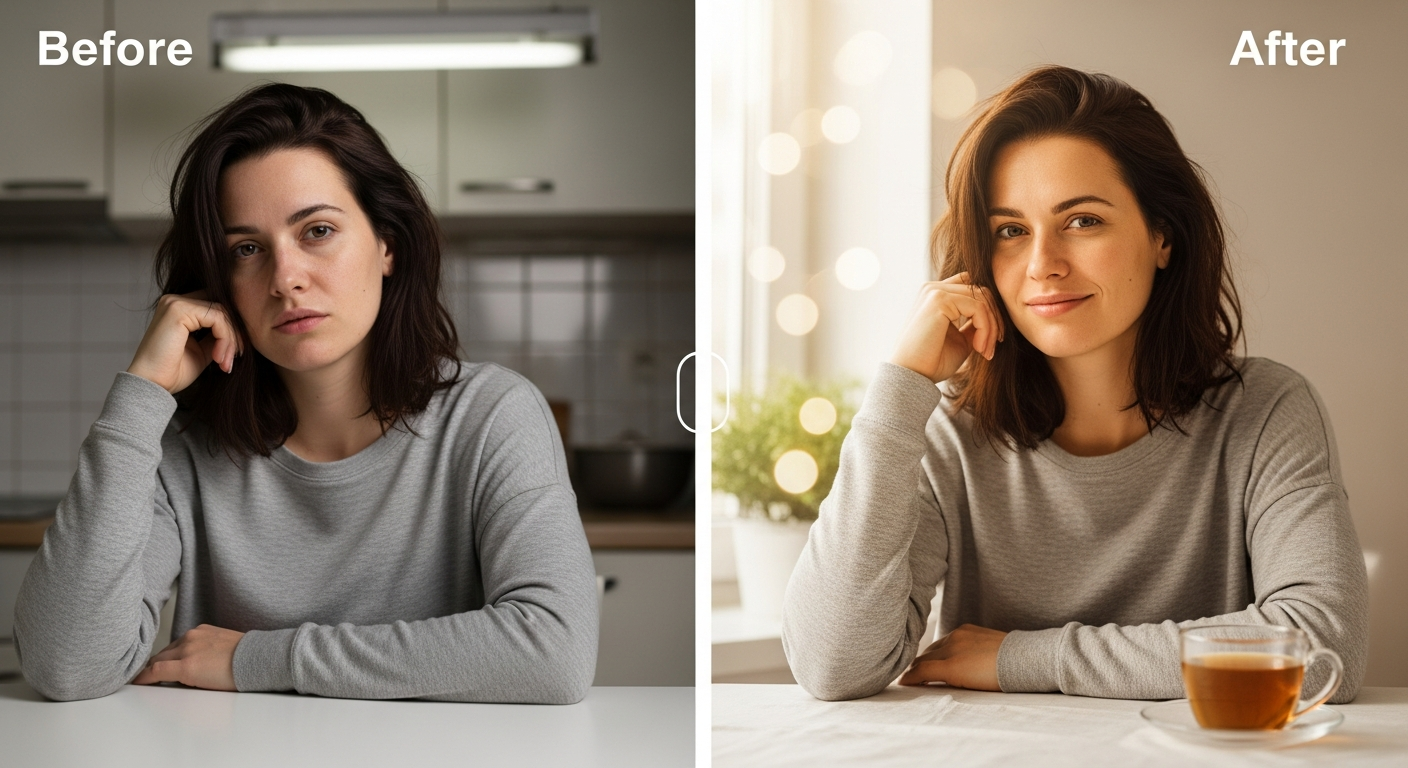
The No Makeup Day Problem
Let's be honest about this one.
There are days when your skin is glowing, your lighting is perfect, and you take ten photos and all of them are great. There are also days when you look in the mirror and feel absolutely fine about yourself, but the camera catches something unflattering. Redness, a blemish, shadows under your eyes from a night of bad sleep. Suddenly none of the photos are usable.
Photo Refinement was built for those days. You do not need to wait for a good skin day to take a photo that looks good. Take the photo. Give Twiss the photo. What comes back will be the version of that moment that your eyes saw, not the version your front camera captured.
This is not about making you look like someone else. It is about giving the photo the same grace that real life already gave you. The camera just did not cooperate.

A Real Example
This is what it looks like in practice. A natural, unfiltered photo taken in poor indoor lighting against a plain wall. The same person after photo refinement: radiant skin, warm golden light, a soft lifestyle background that feels like a real living space.
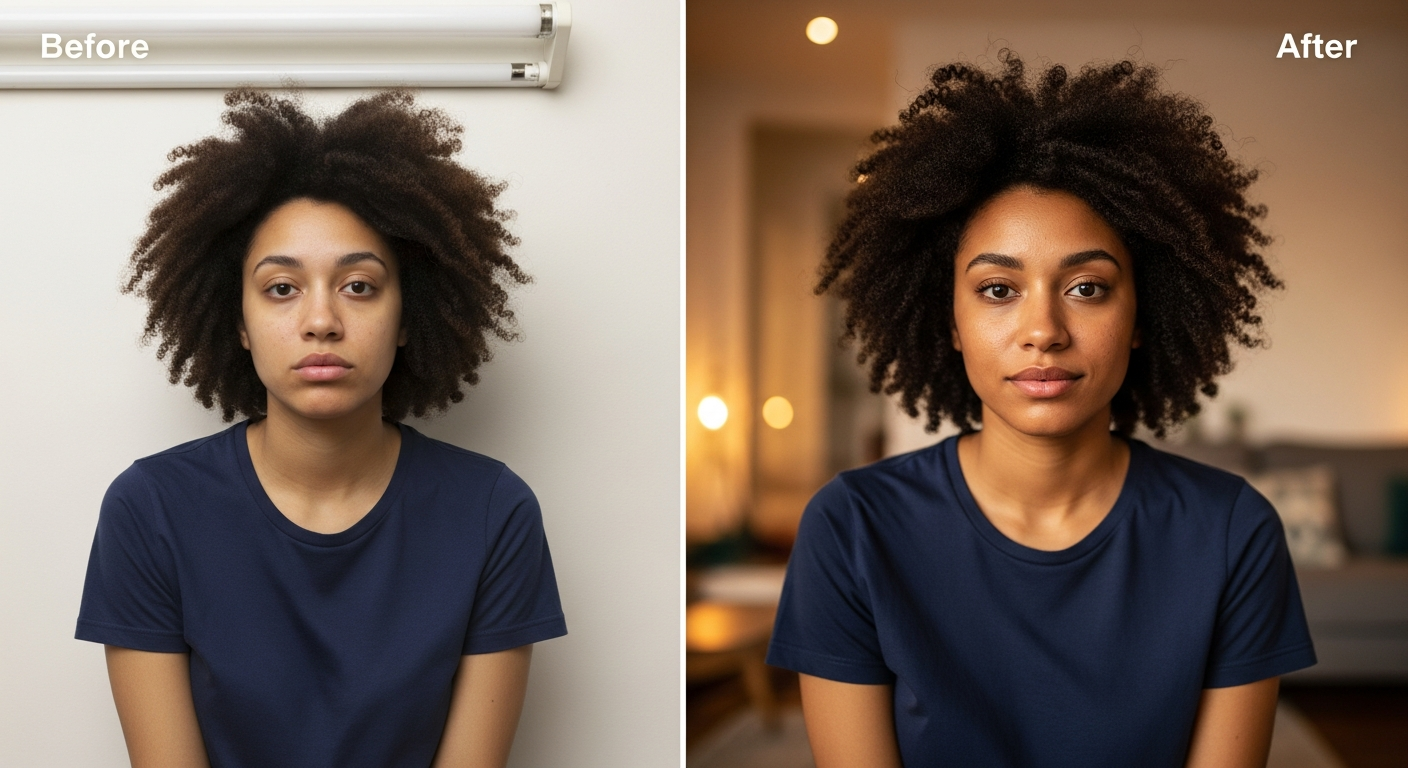
The face has not changed. The bone structure, the features, the hair, the expression. None of that has been altered. What changed is the quality of everything around and on the skin. The light. The background. The overall feel of the image.
Real Scenarios Where This Helps
The rushed selfie: You took a photo quickly before stepping out. The lighting in your hallway is never kind. The photo went into drafts. With Photo Refinement, you upload it, choose a clean background, and what you get back is a polished image that looks like you had a proper setup.
The work event photo: Someone took a photo of you at a conference or office event. The lighting was fluorescent. Your hair was not quite right. You looked fine in person but the photo does not reflect that. Photo Refinement corrects the lighting and cleans up the background if needed.
The holiday photo you wanted to post: Beautiful destination. Great memory. But you were tired from travelling, the sun was directly behind you, and the background was a crowded tourist area you did not want to share. You can keep the destination, replace the background with something calmer, and let your face look as rested as you felt on the inside.
The content you want to create but do not have a studio for: If you are a creator or small business owner trying to look professional on social media, a studio setup costs money you may not have right now. Photo Refinement gives you the output that looks like you had one.
What It Does Not Change
This is important. Photo Refinement does not change your face shape, bone structure, nose, eyes, lips, or any feature that makes you who you are. It does not make you look thinner or alter your body. It does not turn you into someone else.
What it changes is the quality of the image. The light, the skin texture evenness, the background. The equivalent of what a good photographer and a good editing session would do. Not a transformation. A correction.
If you want the background kept exactly as it was, you can choose that option too. Sometimes the background is fine and you just want the skin and lighting touched up. The settings are yours to control.
How to Use It
Go to the Create page in Twiss. You will see a Photo Refinement option in the presets. Upload your photo. Choose whether to keep the background or replace it, and with what. Choose how much refinement you want: light, medium, or full. Run it.
The whole process takes about 30 seconds. One credit.
The photo that comes back is yours to download, share, or edit further in Canva.
The Folder Full of Drafts
Most people have a gallery full of almost-good photos. Photos of moments that mattered, taken in less than ideal conditions. Birthdays where the lighting was bad. Trips where you were exhausted. Days when you felt good but the camera disagreed.
Those photos do not have to stay in drafts. Twiss was built to give them a second chance.
Open the Create page, select Photo Refinement, and start with one photo you have been sitting on. See what it looks like when the camera finally does your face justice.